
Everything in one place
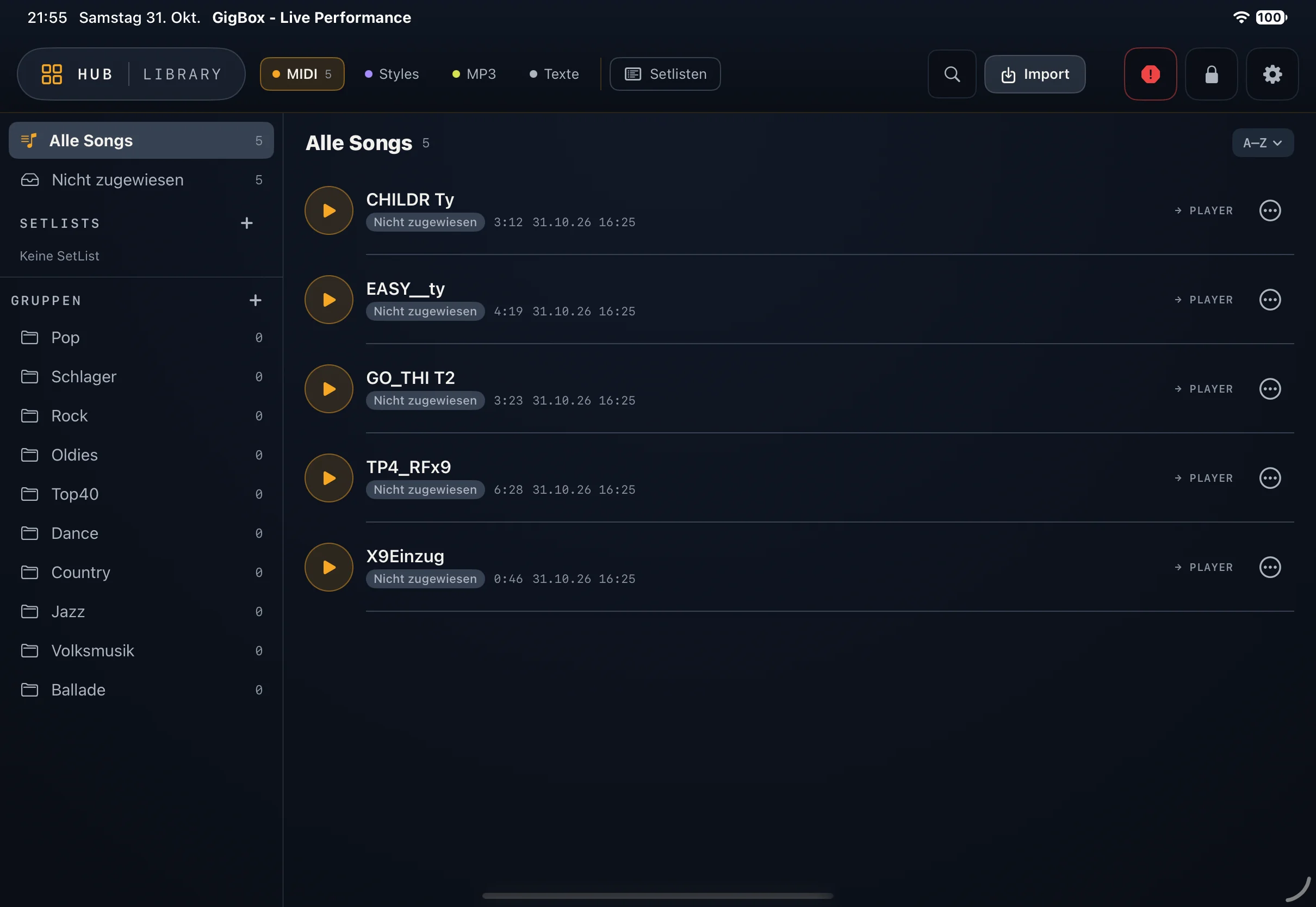
MIDI files, styles, MP3s and lyrics with search, groups and favourites. Import via the Files app, data in iCloud.
GigBox plays MIDI files, styles and MP3s through any connected MIDI device or the iPad's audio output – built for the gig.
Coming soon to the App Store Join the beta iPad · iPadOS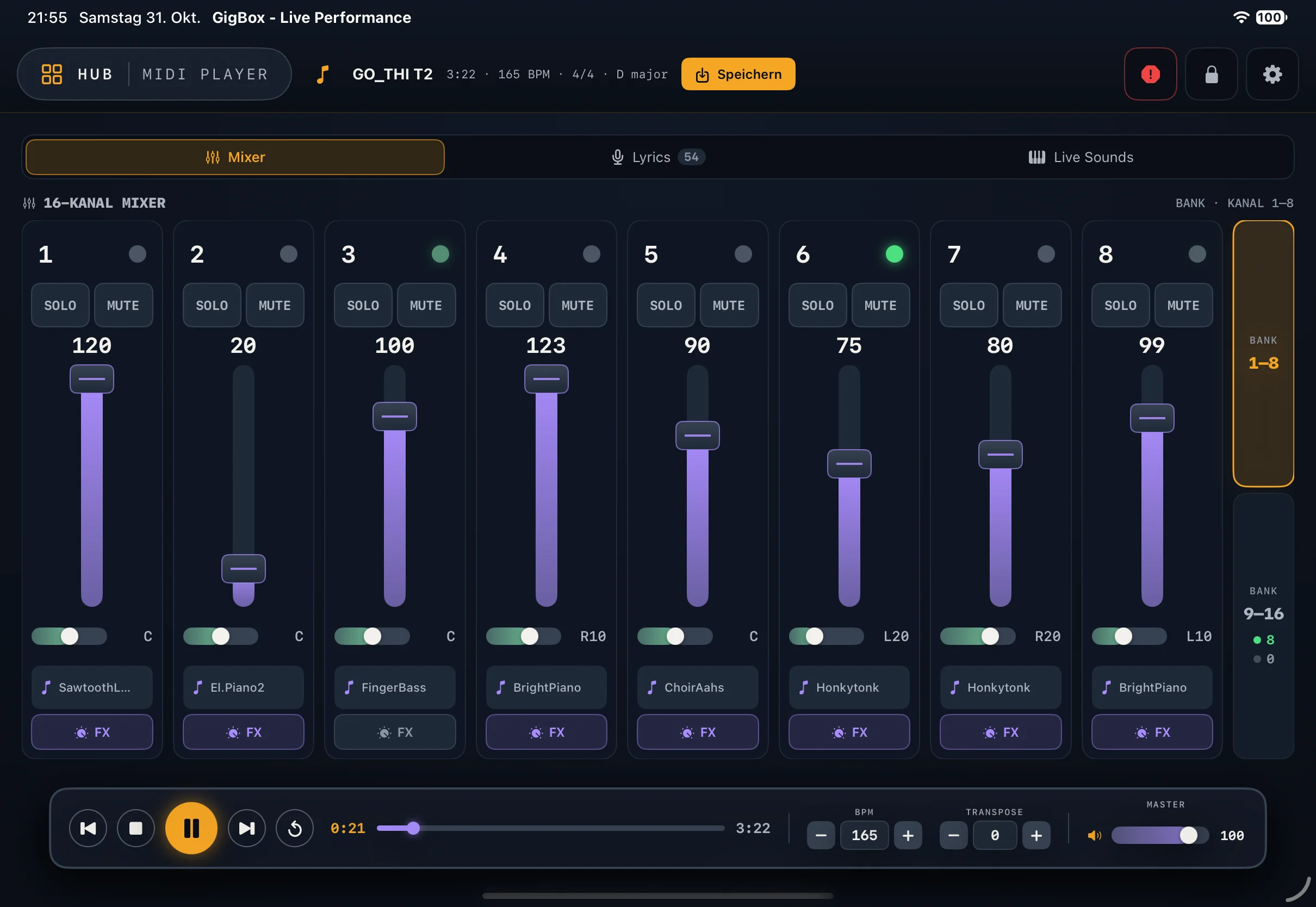
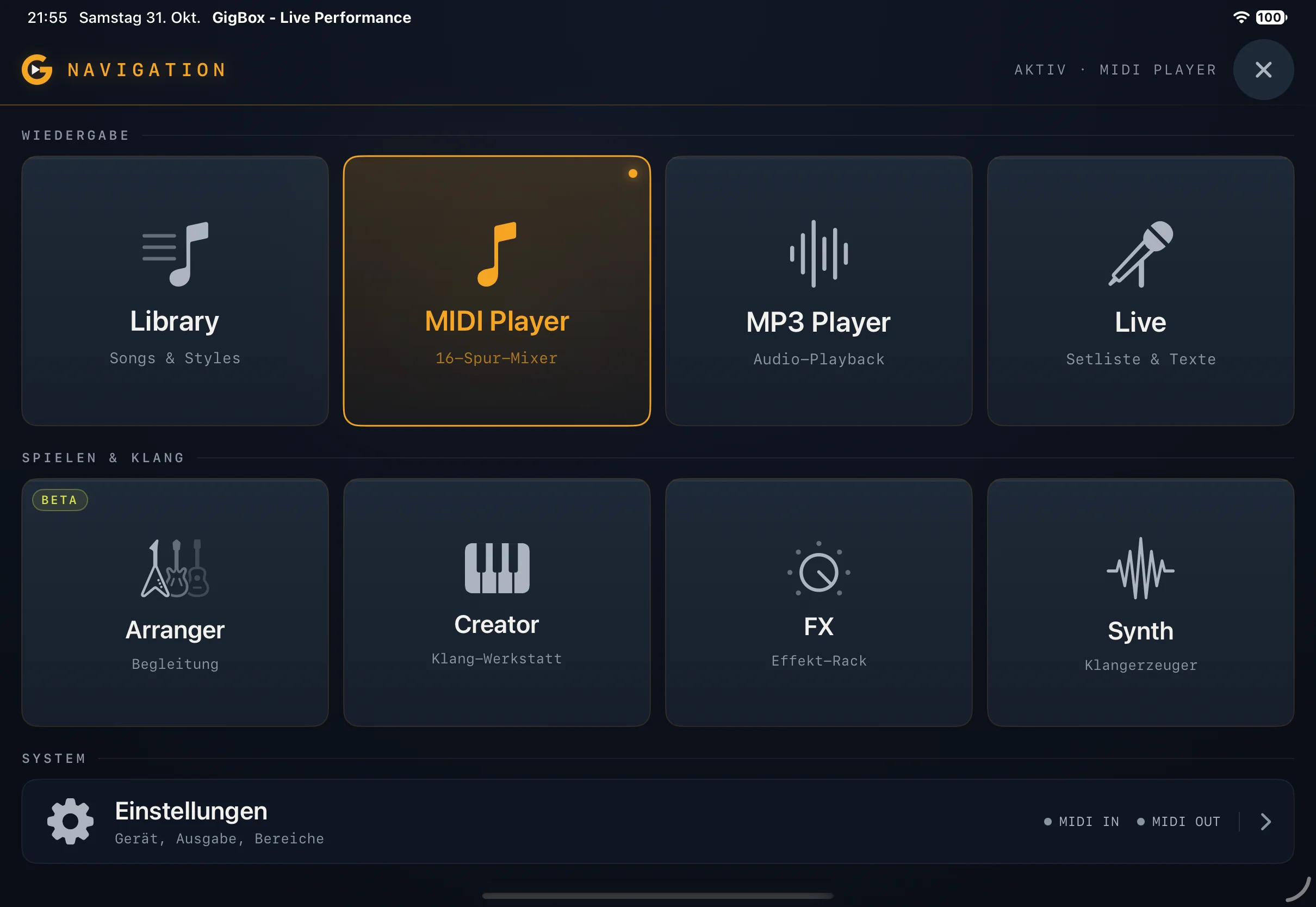
From the player to the arranger to the synth: everything in one app, no detours between rehearsal and stage.
MIDI files, styles, MP3s and lyrics with search, groups and favourites. Import via the Files app, data in iCloud.
Setlists can mix MIDI, styles and MP3. One tap opens the song in the right player.
Standard and karaoke MIDI with volume, pan, solo/mute and sound choice per channel, tempo, transpose, optional chord display and MIDI analyzer.
MP3s through the iPad's audio output, transposable by ±3 semitones, with spectrum and lyrics from the file tags running along.
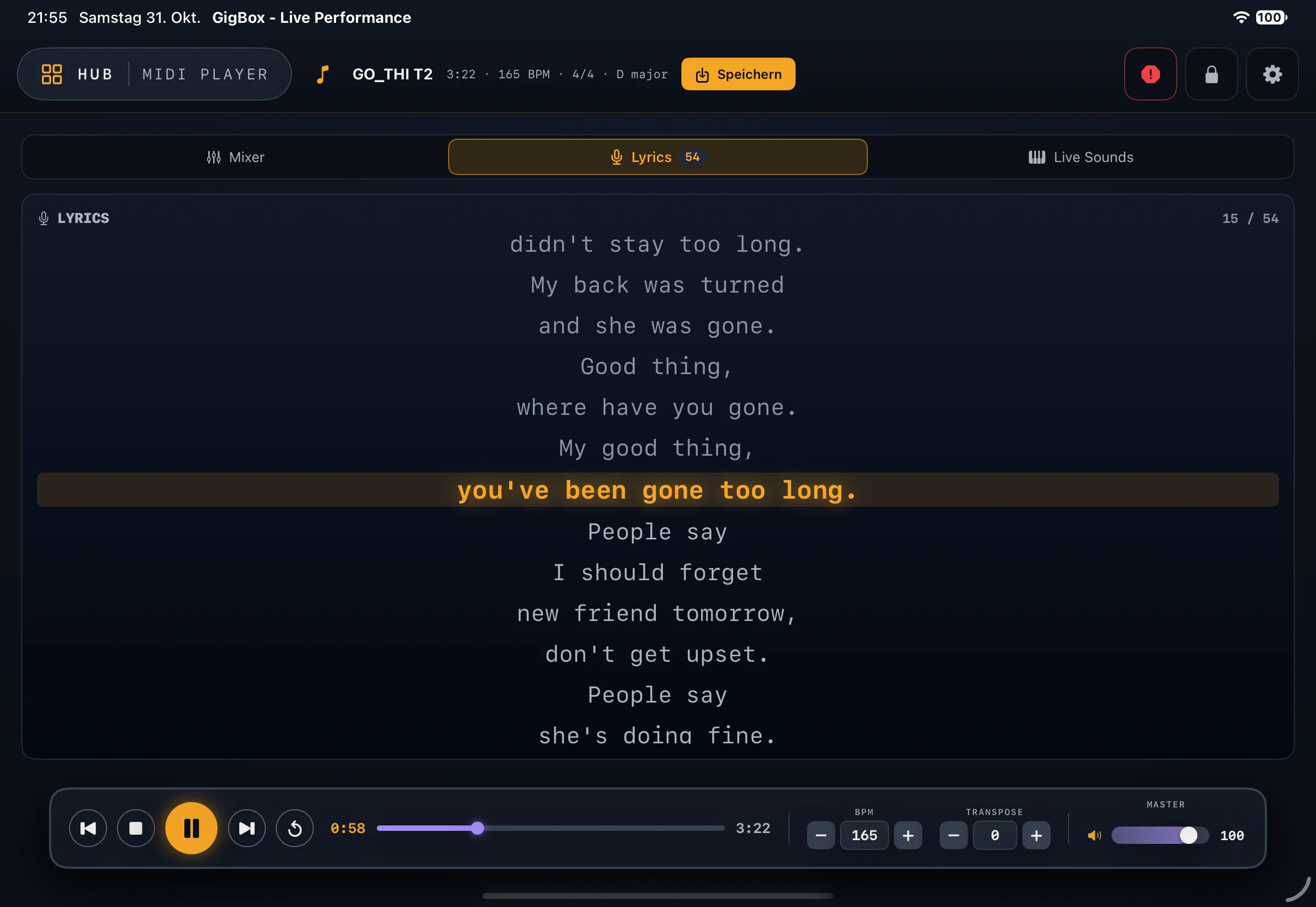
Lyrics in stage size, transport, function keys F1–F12 and a setlist panel. Status: beta.
STY and PRS styles with intro, main, fill, break and ending, chord recognition with split point, One Touch and MIDI learn.
Layers and splits on the keyboard, per zone sound, level, pan, reverb and chorus. Save performances and call them up as Live Sounds.
Global effects that fit the selected device: reverb, chorus and a 4-band master EQ with presets.
Audio Unit instruments on the iPad, played from the same keyboard – in addition to your sound module.
Pick your device or General MIDI / GM2. Sound lists, bank selection and effects adapt.
One MIDI output for files and mixer, a second for arranger, creator and keyboard – ideal with two USB ports.
Library, creator and styles live in iCloud and can be backed up and restored as a ZIP.
Dark design, built for landscape and dim stages.
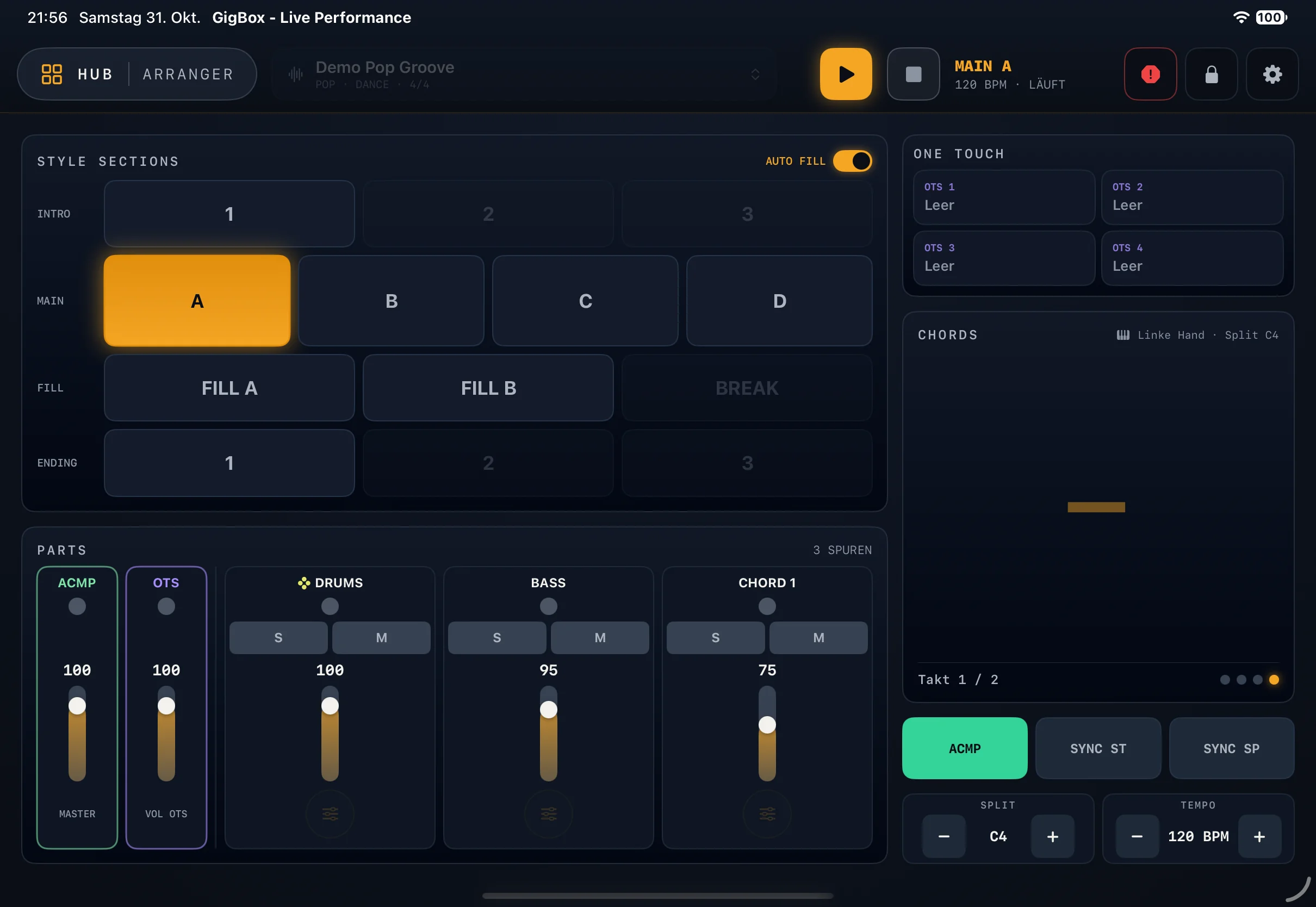
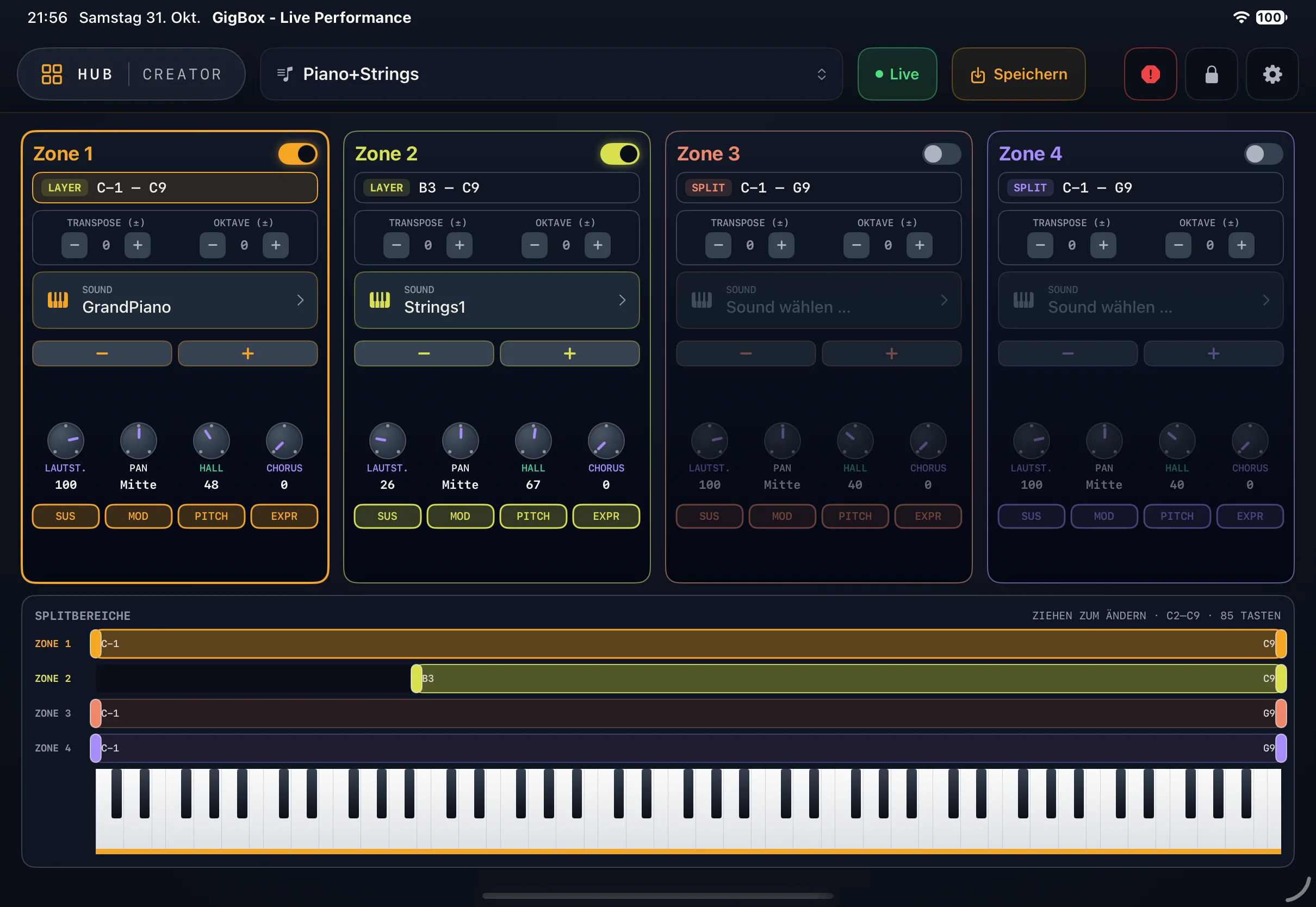
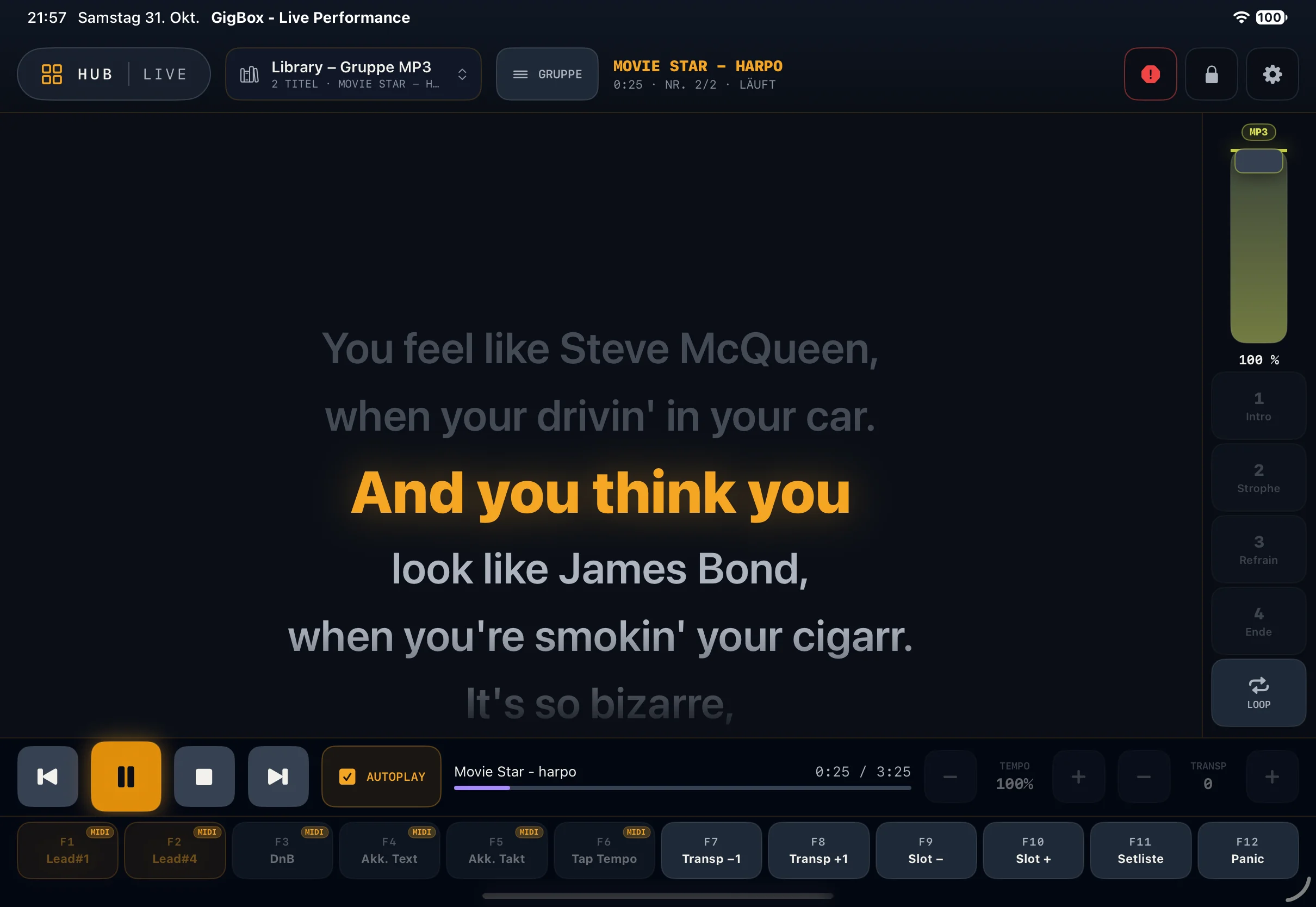
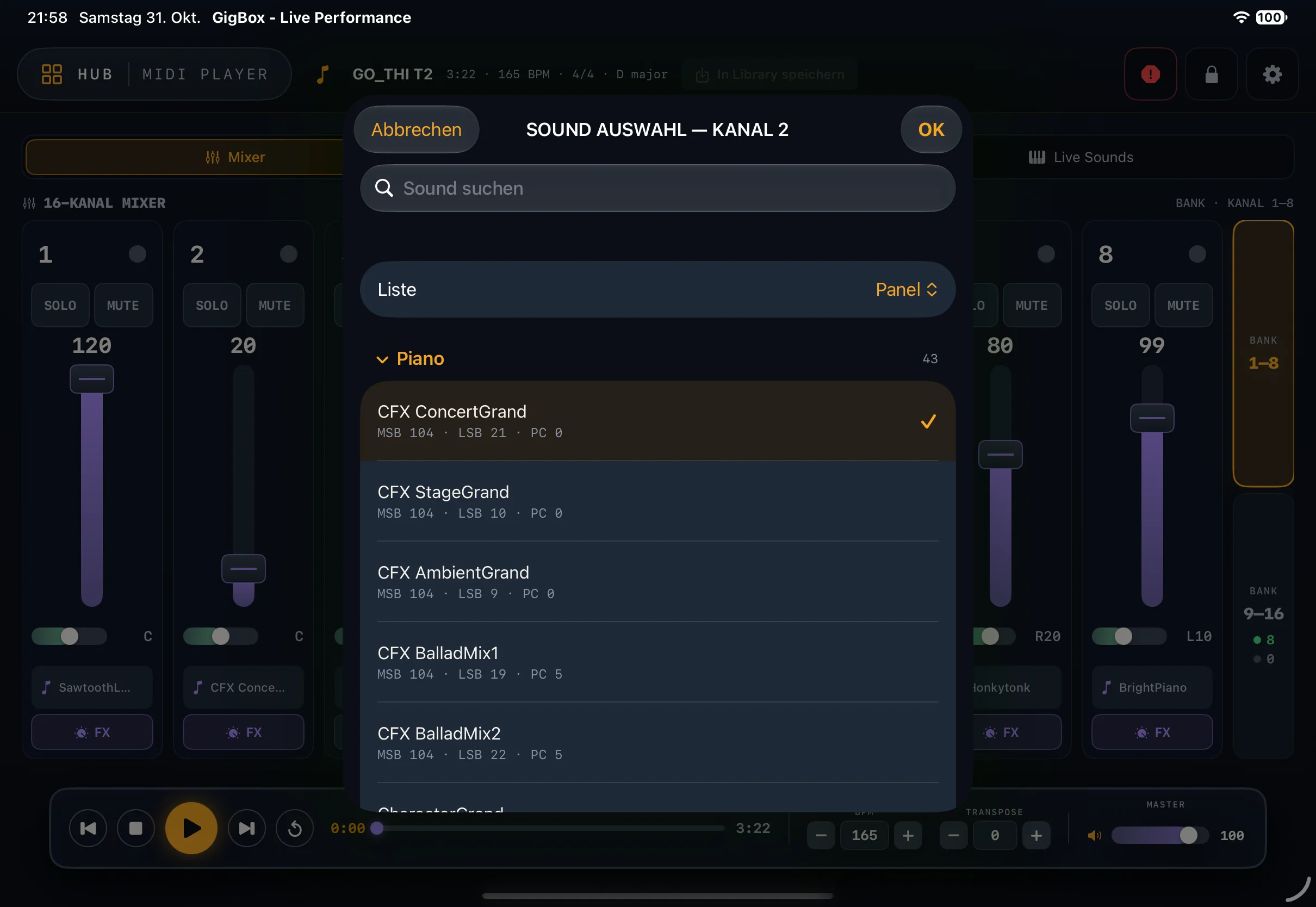
GigBox knows the sound world of these instruments and shows you their sounds and drum kits right in the app. More manufacturers and models to follow.
The main iPad sends the current lyrics over Wi-Fi, encrypted and without internet. An iPhone starts automatically as a lyrics display, a second iPad can be switched over. Scrolling text, active line highlighted, adjustable font size, optionally with chords. The lyrics display is free.
The full app runs on the iPad. On an iPhone and a second iPad, GigBox shows the lyrics display.
MIDI files (including karaoke), styles (STY, PRS), MP3 and other audio formats, plus text files as lyrics.
No. GigBox plays through any connected MIDI device or through the iPad's audio output. MP3s run independently of the MIDI device anyway.
The download is free. A one-time in-app purchase unlocks all areas except the lyrics display; the App Store shows the price for your country. It covers all devices on the same Apple ID, and Family Sharing is enabled.
No. The lyrics display on iPhone and a second iPad is free, even without the purchase.
Both are still marked beta in the app.
The release date has not been set yet.